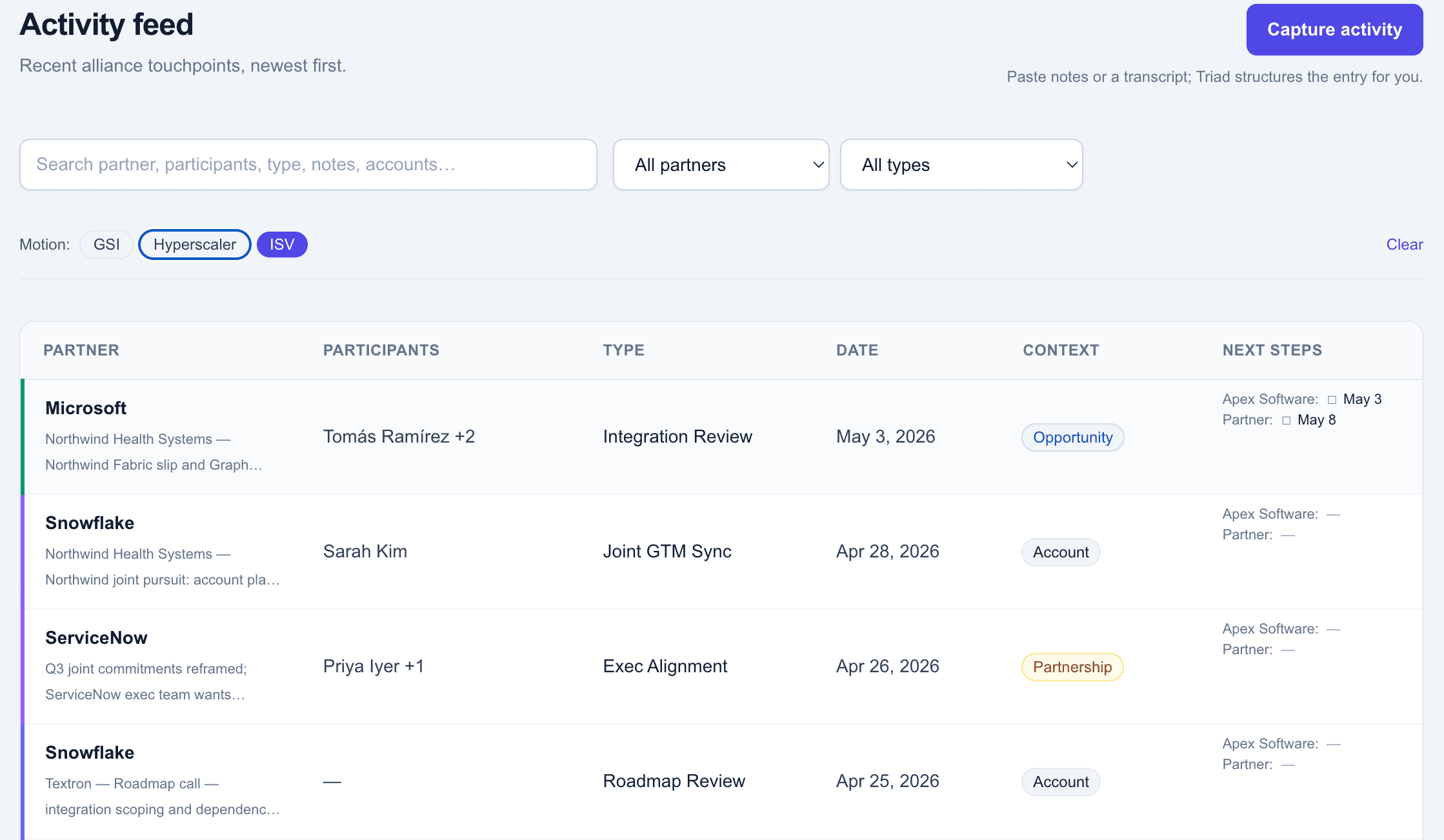
See Triad across the three layers.
Every capability is anchored to Relationship, Co-sell, or Execution — the three dimensions that make a partnership work.
It all starts with capture
Capture is where every layer begins — and where most partnership intelligence dies. Without capture this rich, Relationship signals never form, Co-sell context never reaches CRM, and Execution handoffs go cold.
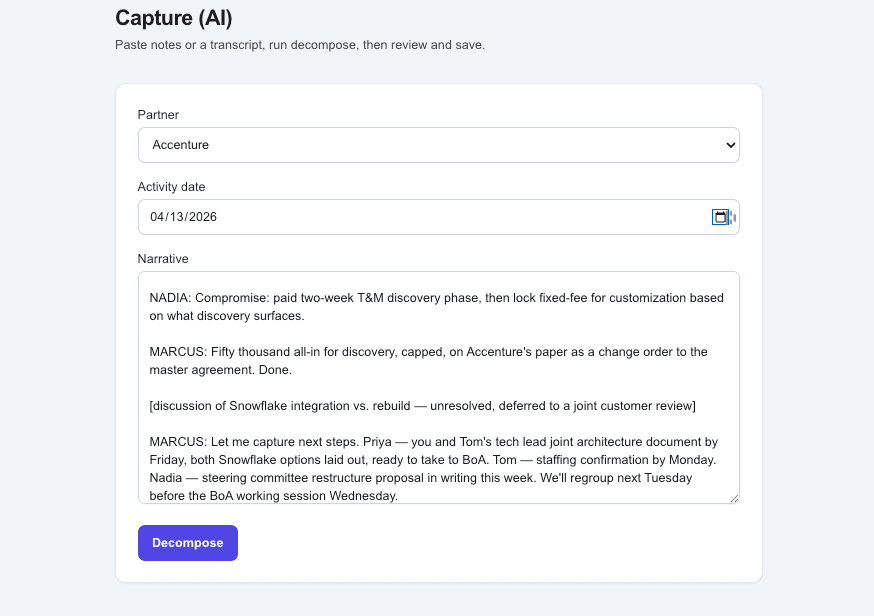
Capture in your own words
Paste a meeting transcript, voice-to-text dump, or your messy notes — Triad doesn't need any structure to start. One click and the work begins.
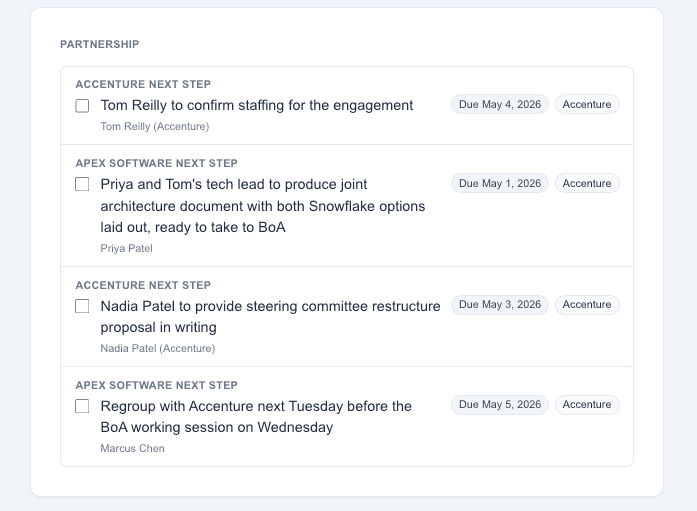
Get structured intelligence in seconds
Activities, participants, partner context, bilateral next steps with owners and dates — all extracted, all linked back to the source narrative so nothing is invented.
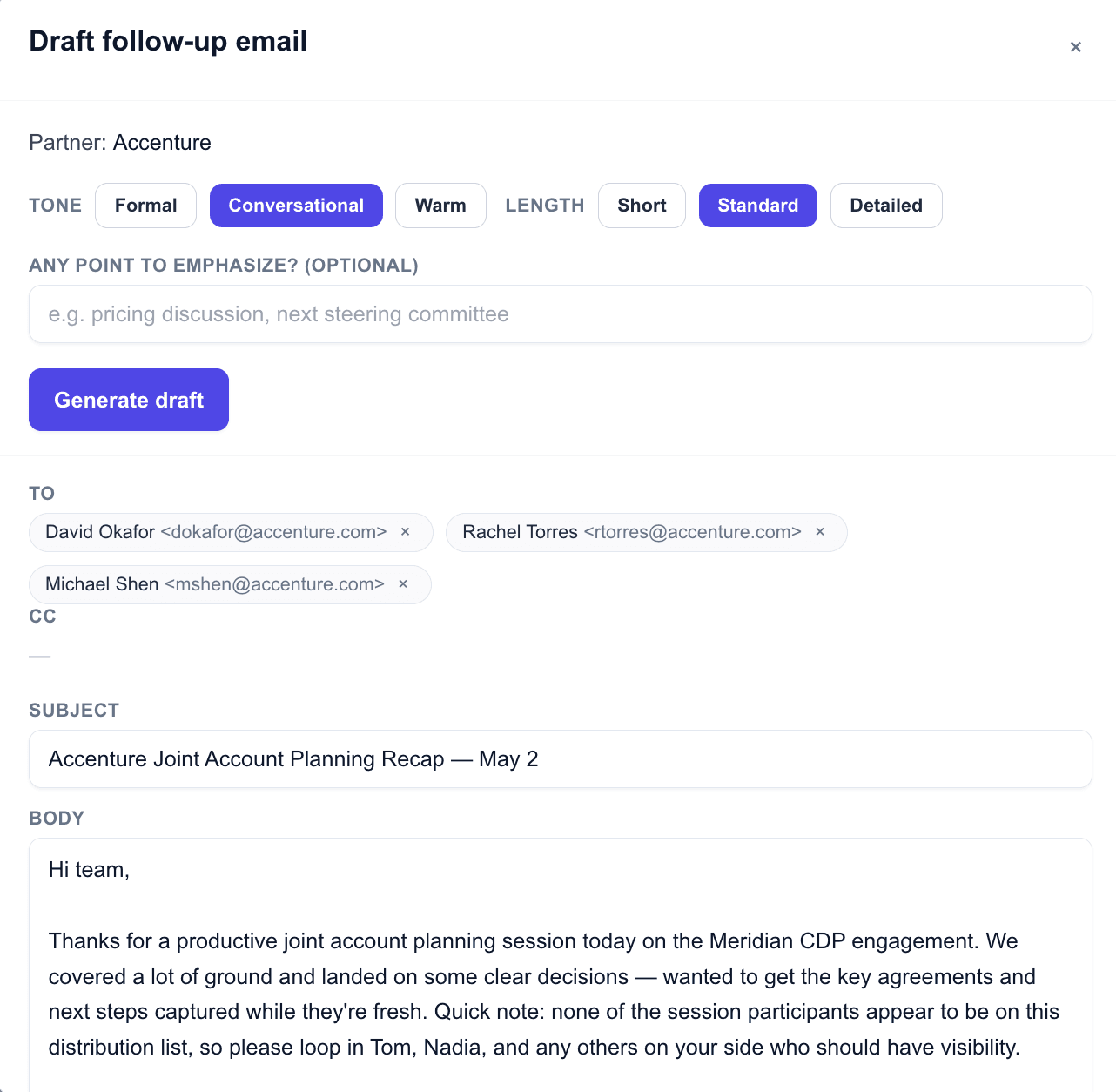
Ship the follow-up without leaving the tool
A draft email, addressed to the right person, with a subject tied to the meeting and a body covering decisions and next steps — ready to copy, paste as HTML, or open in Gmail with one click.
Relationship
Know where every partnership really stands.
Relationship signals — sentiment, alignment, friction, and executive trust — are extracted from captured activity using AI analysis grounded in evidence the user can verify. The output is operational, not abstract, and traces back to the source conversation.
Read the Room: AI analysis of every conversation
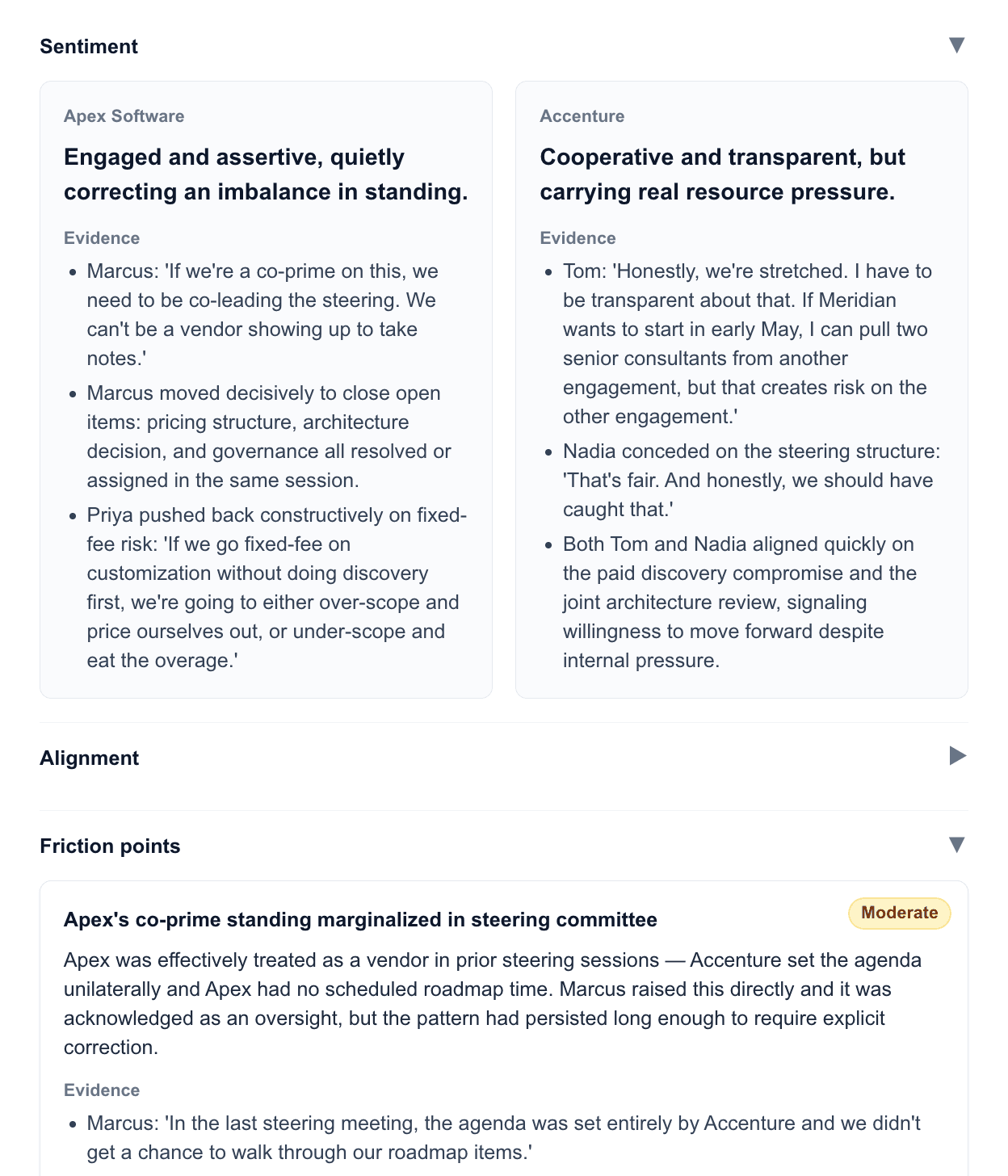
Sentiment side-by-side, alignment and divergence on the specific topics that came up, friction points scored by severity — every signal traces back to the actual words spoken in the room. Defendable, not vibes.
Rolled up across the partnership
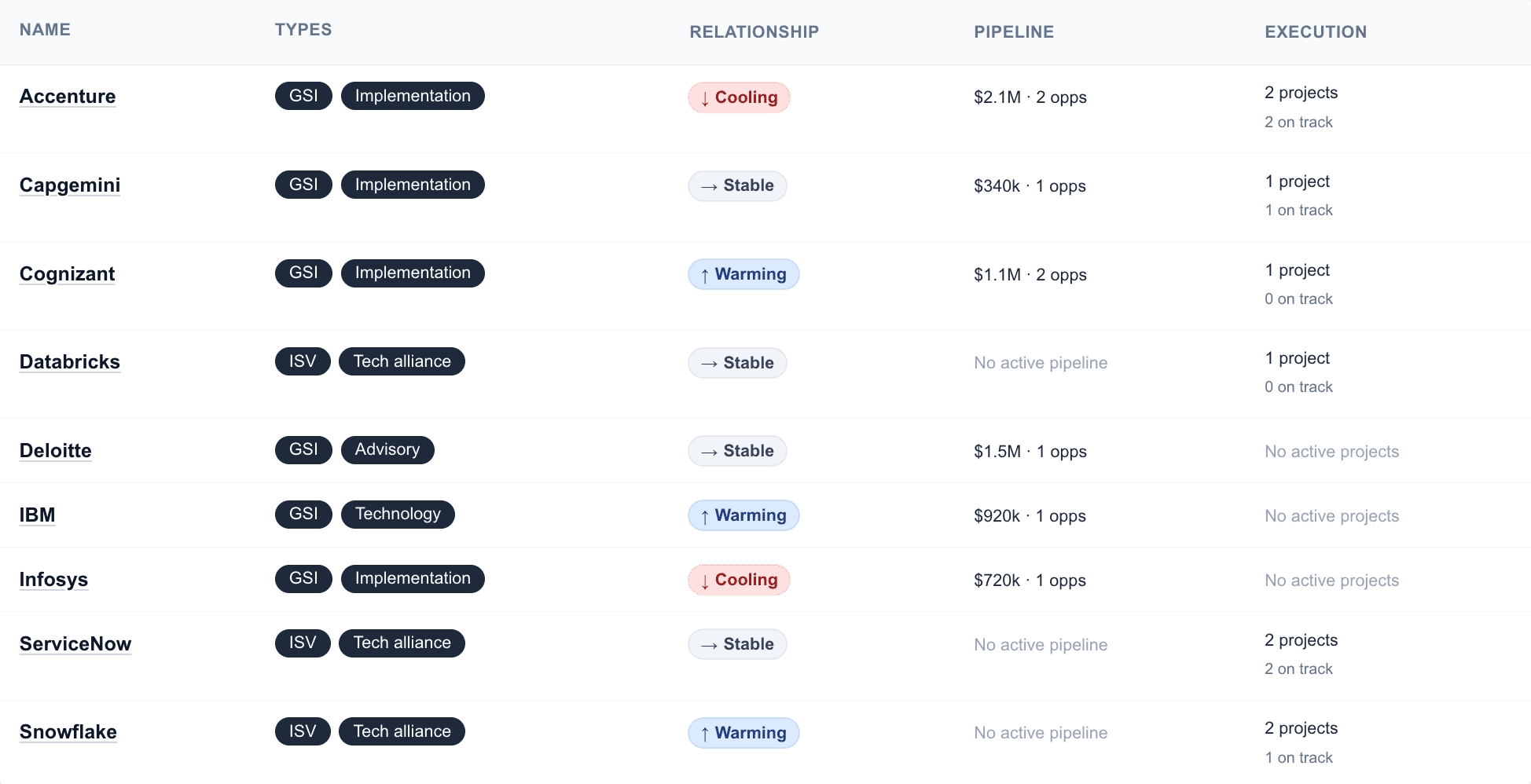
Account-level signals roll up to a partnership view that reads alongside Pipeline and Execution. The whole portfolio in one table — the conversation a Director walks into a budget review with.
Co-sell
See partner pipeline with the context CRMs miss.
CRM holds pipeline data. Triad connects those opportunities to the partner relationships and conversation context that drive deal progress — so when a deal advances, you can show why, and when one stalls, you can see what stopped moving.
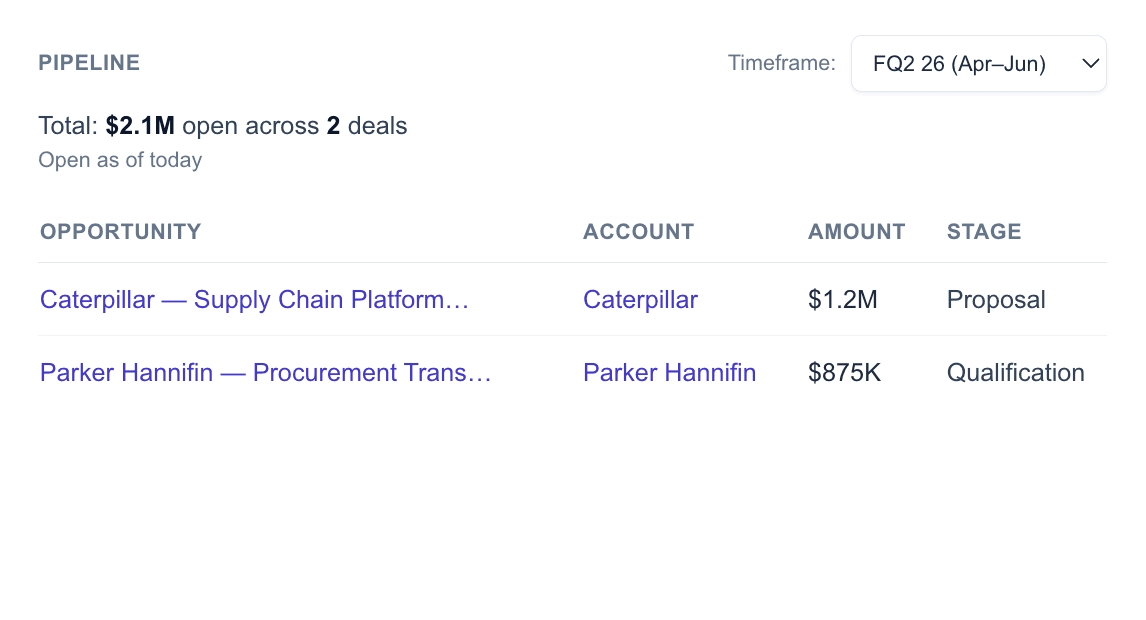
Pipeline tied to the partners that earned it
Partner-influenced and partner-sourced deals link directly to the partner record — no spreadsheet, no separate database, no guessing whose work this was. Filter, sort, and defend the number every QBR.
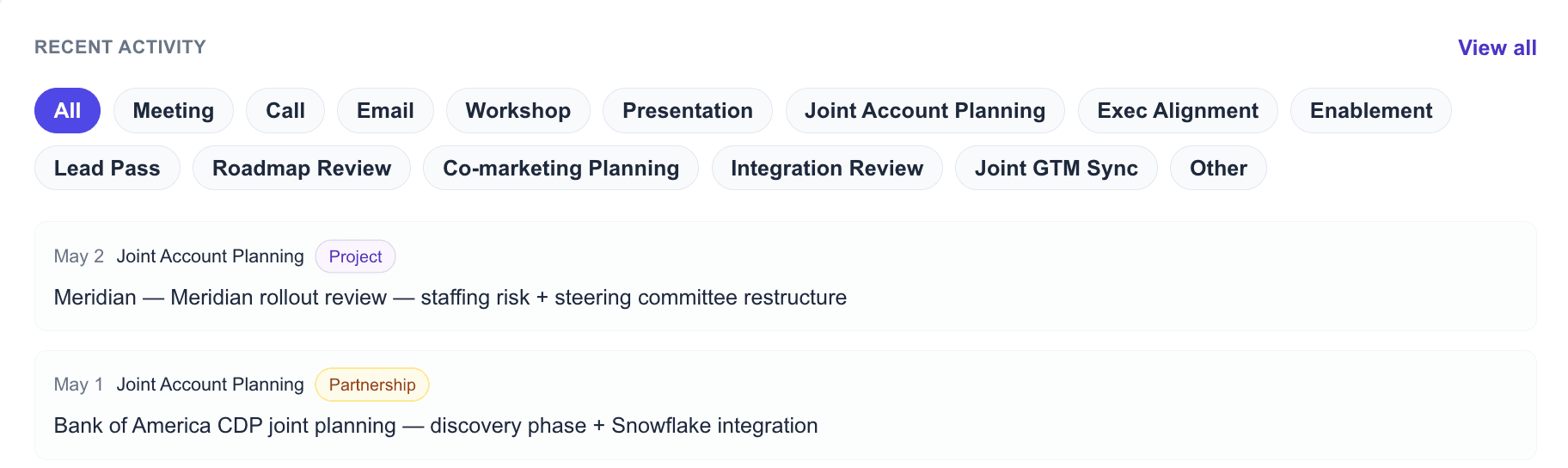
With the conversation history that moved every deal
Every meeting, working session, exec sync, and roadmap review is captured against the partnership and the deals it touches. The activity feed isn't a log — it's the audit trail behind every dollar in pipeline.
Execution
Spot execution risk before it shows up in customer outcomes.
Most alliance teams lose visibility after a deal closes — and the partner-side execution story quietly disappears. Triad keeps Execution in the same system as Relationship and Co-sell, with an independent health view your partner won't volunteer.
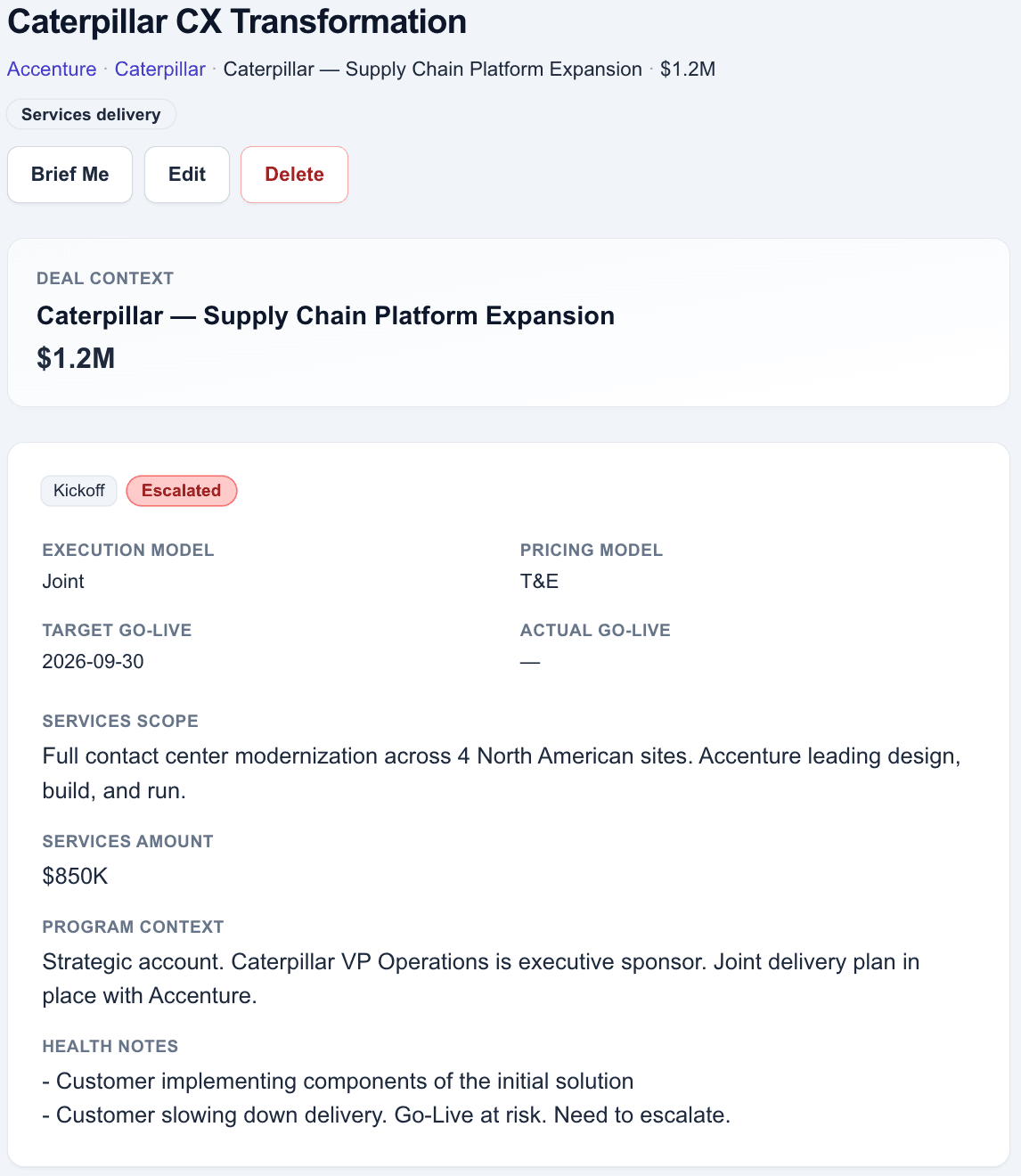
Your independent view of every project
Phase, target go-live, services scope, program context — plus a health status that doesn't echo the partner's happy-talk. The notes capture what's actually going wrong, in plain language: "Customer slowing down delivery. Go-Live at risk. Need to escalate."
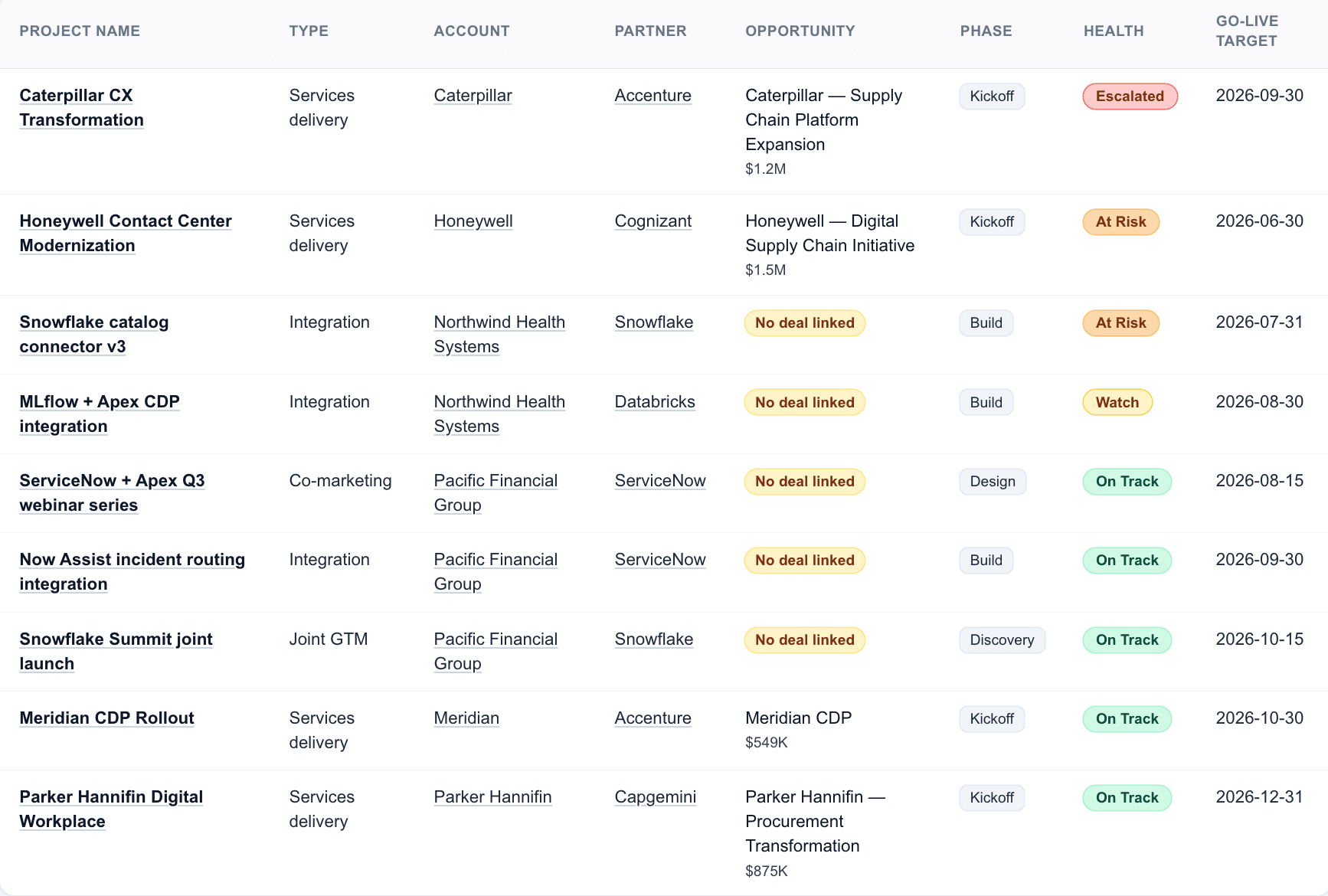
Every project, every partner, one table
Watch the whole portfolio at a glance — Escalated, At Risk, Watch, On Track. The conversations that lead to a customer escalation start here, weeks earlier, when health shifts from On Track to Watch and a name appears next to it.
Brief Me
Walk in prepped. Walk out with clear next moves.
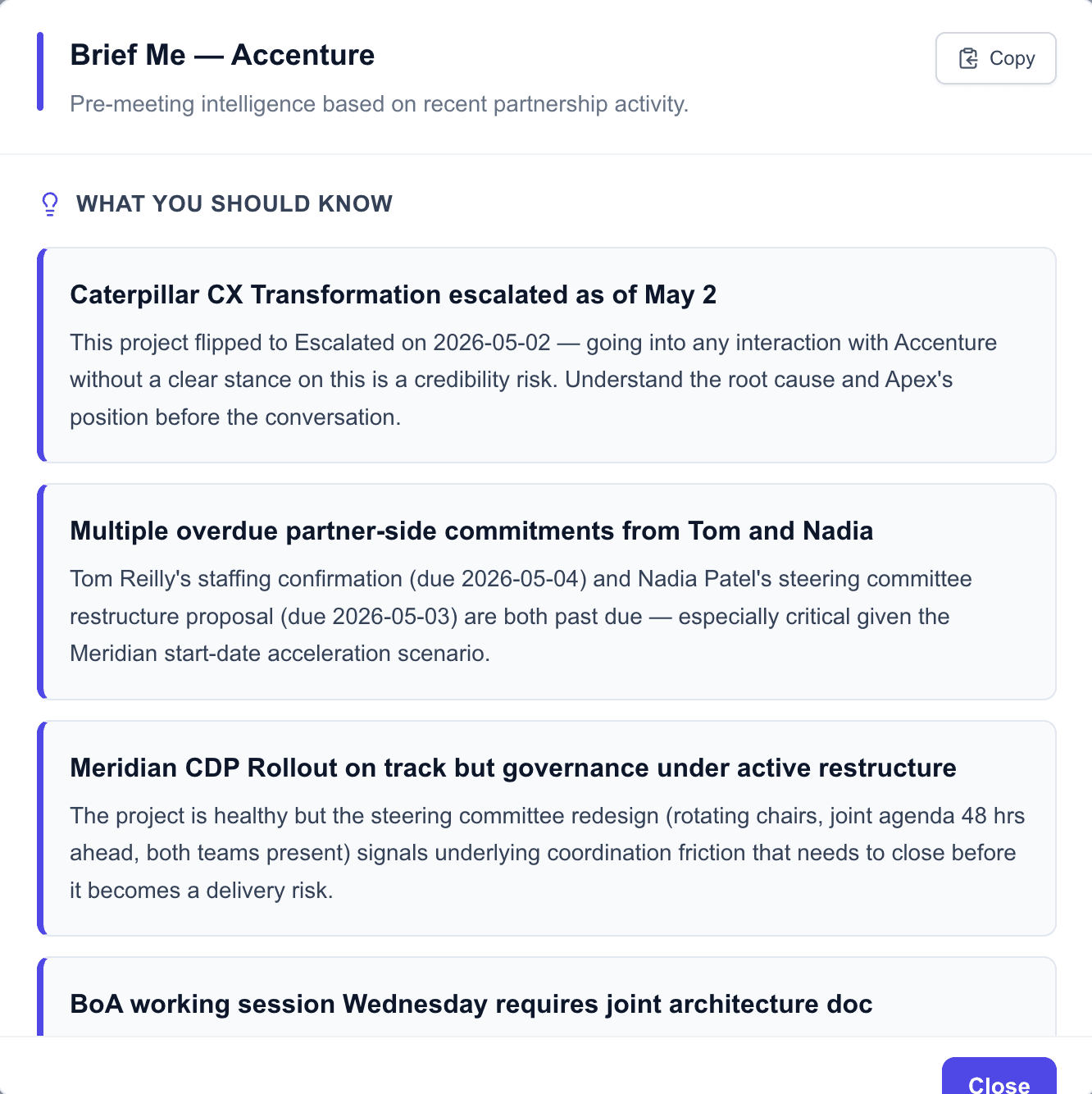
One click before a partner meeting. Triad reads everything that's happened — captured activities, relationship signals, project health, partner news — and synthesizes a briefing that takes you from drowning-in-context to ready-in-thirty-seconds.
What you should know, surfaced first
The headline reads from the AI — escalations, overdue partner-side commitments, project health flips, the things that change the shape of the conversation. Each item is traceable back to the source so you can trust the synthesis.
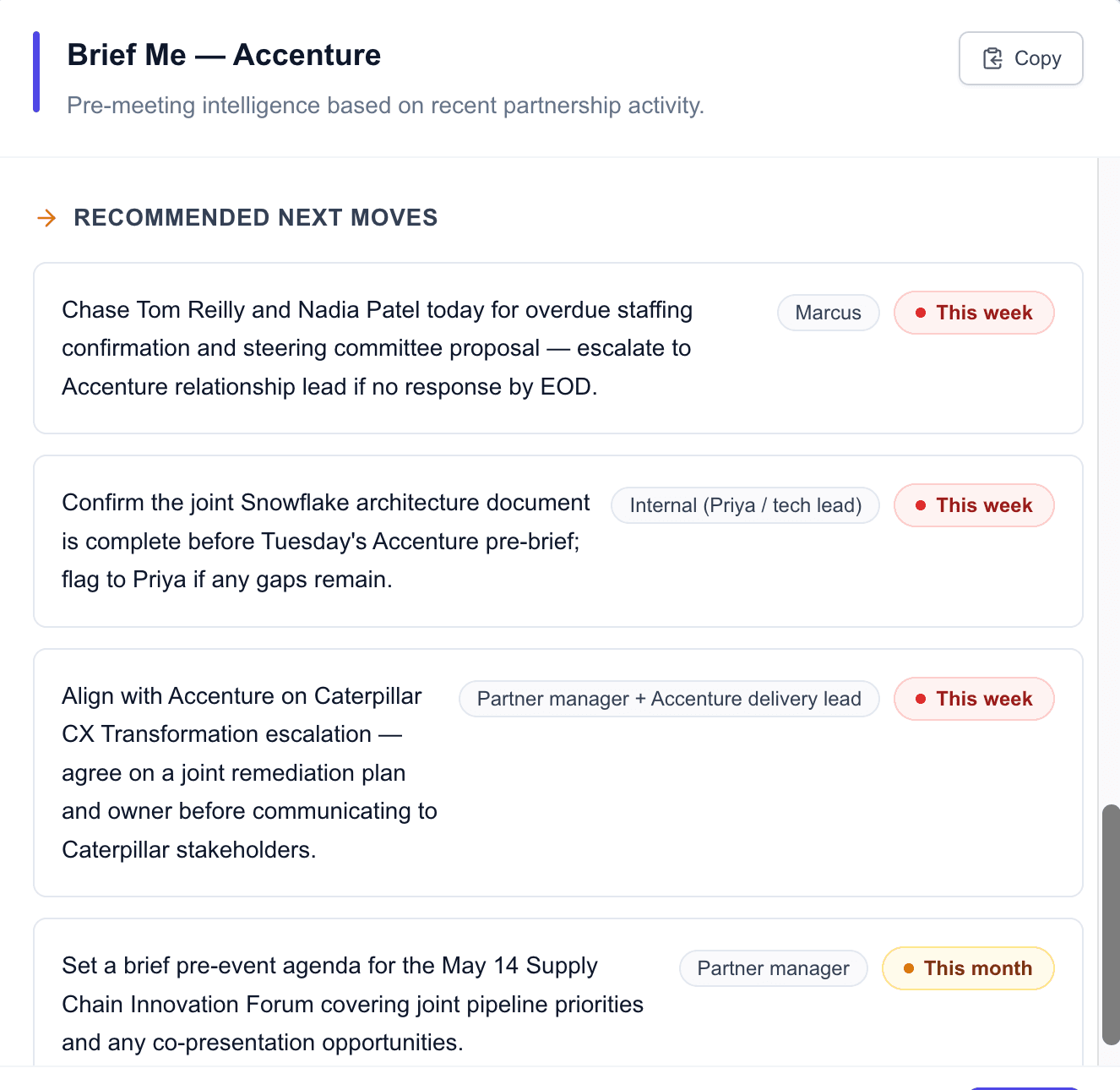
And walk out with clear next moves
Every recommendation comes with the owner and an urgency window — this week, this month, when appropriate. The meeting can stay focused on what to actually do, not on spending half the time deciding what to discuss.
Dashboard
The morning view across every partnership.
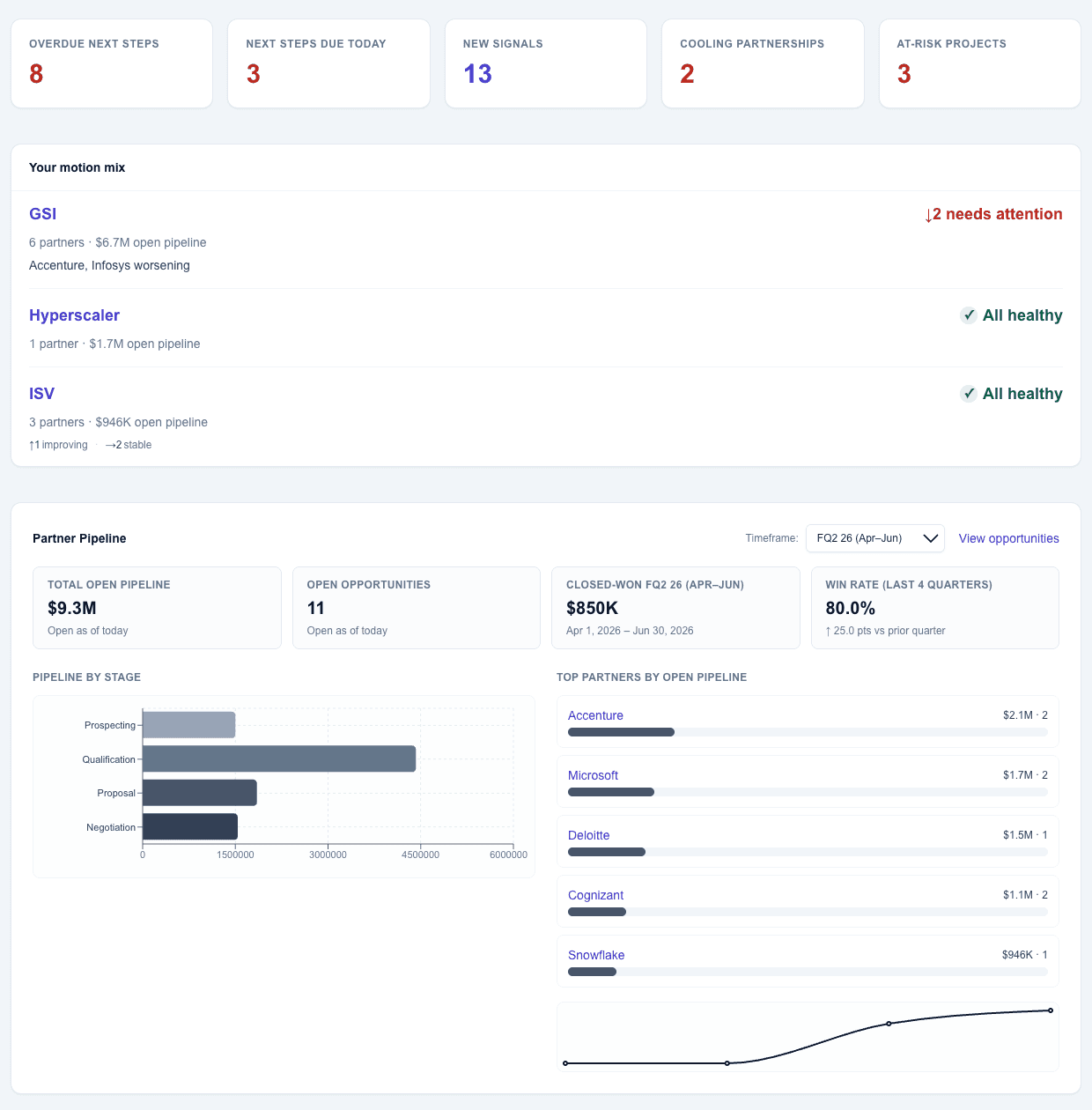
Open Triad and the picture is already drawn — the numbers your boss asks about, the operational picture beneath them, and the partner news that just changed the math. Walk in knowing where to spend the day.
The numbers that anchor your morning
Total open pipeline, partner mix, win rate, stage distribution, top partners by open dollars — the headline view your boss will ask about, ready before you finish your coffee.
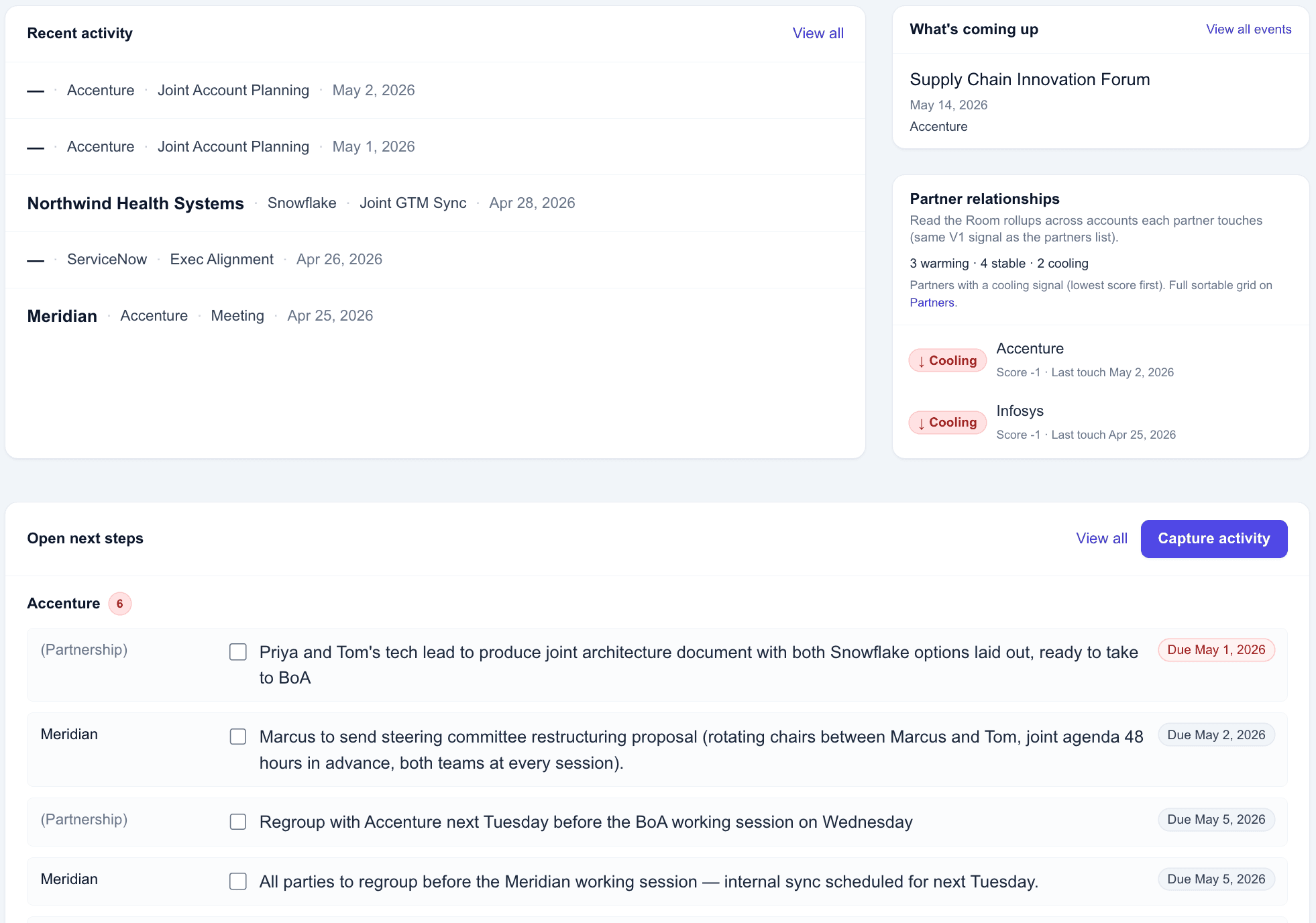
And what needs your attention today
Next steps due, partners cooling, conversations from yesterday, events this week. Capture activity from the same screen — the dashboard is the home base, not just a report.
News that comes with a recommended action
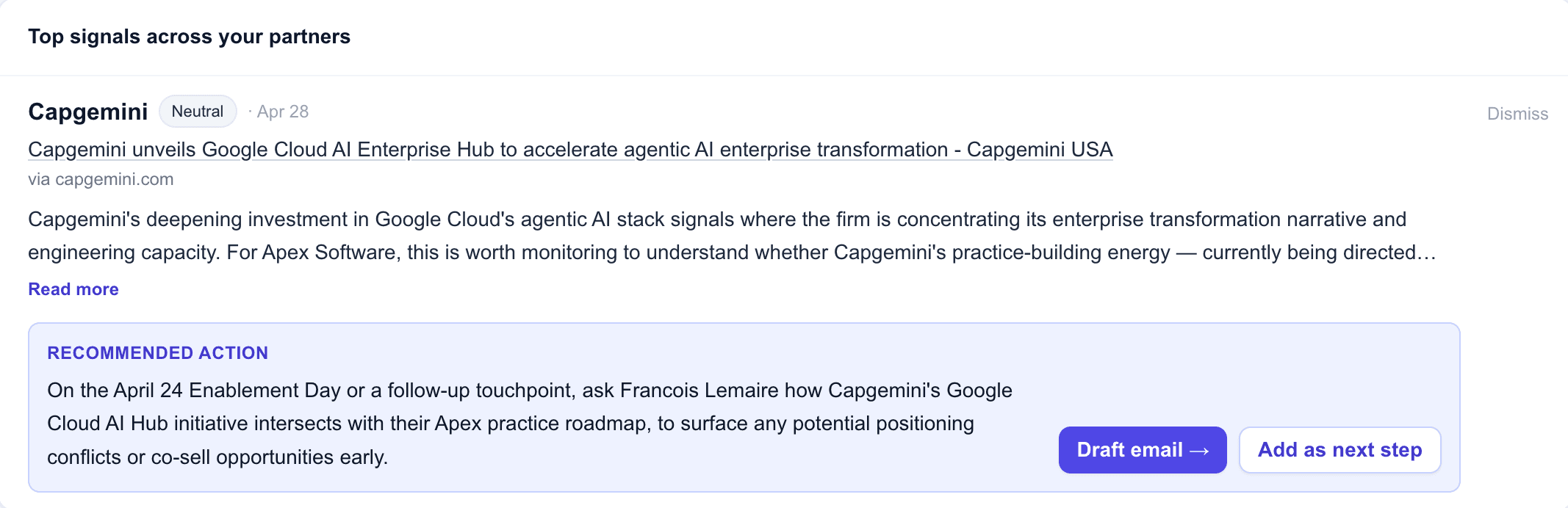
Leadership changes, strategic announcements, M&A, product launches — Triad monitors news for every active partner and surfaces only what affects the partnership. Each signal lands with a recommended action, a draft email, and a one-click "Add as next step" — so you can move on what changed before anyone else notices.
See your partners by motion
The big partners run multiple motions. Triad lets you tag a partner with every motion they actually run — hyperscaler, ISV, GSI, OEM — and renders portfolio analytics by motion lens. No other tool does this today.
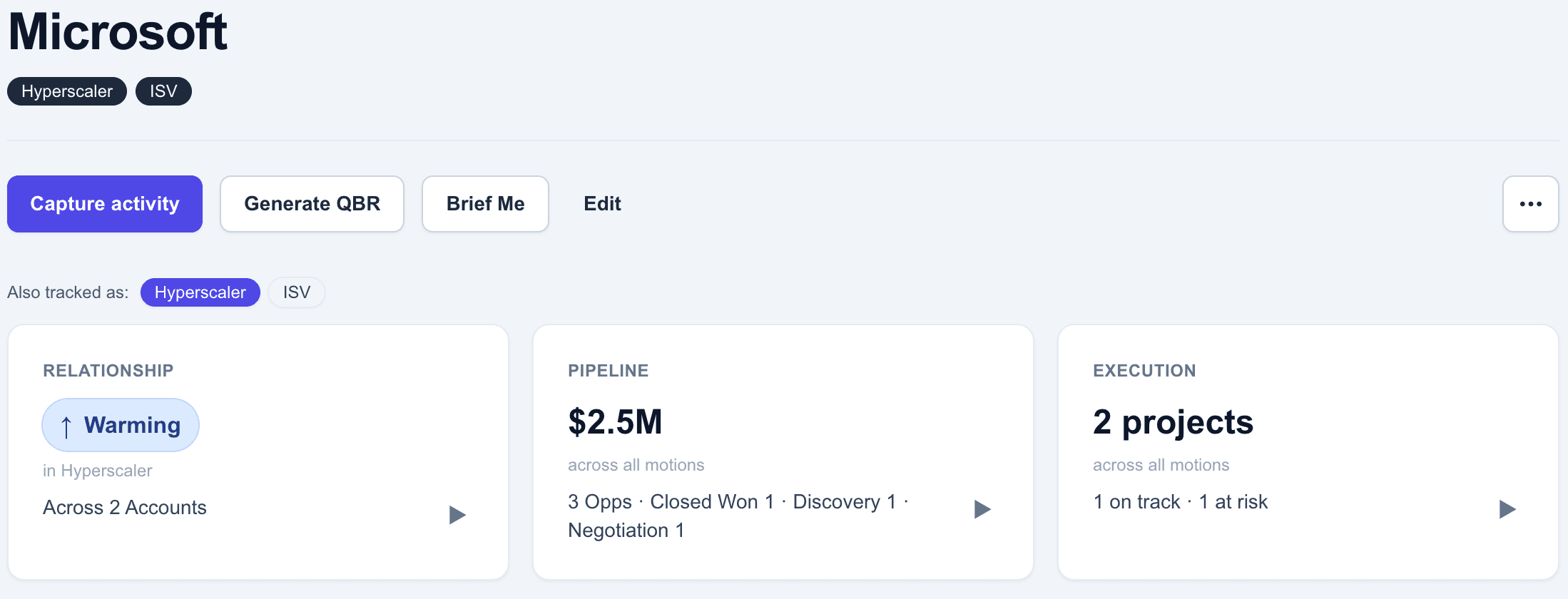
One partner, every motion they run
Microsoft is a hyperscaler partner AND an ISV partner. Tag both. Switch lenses on the partner page with one click — the relationship signal updates to reflect that motion only. The default view is the partner's primary motion. Both realities are tracked, both are true.
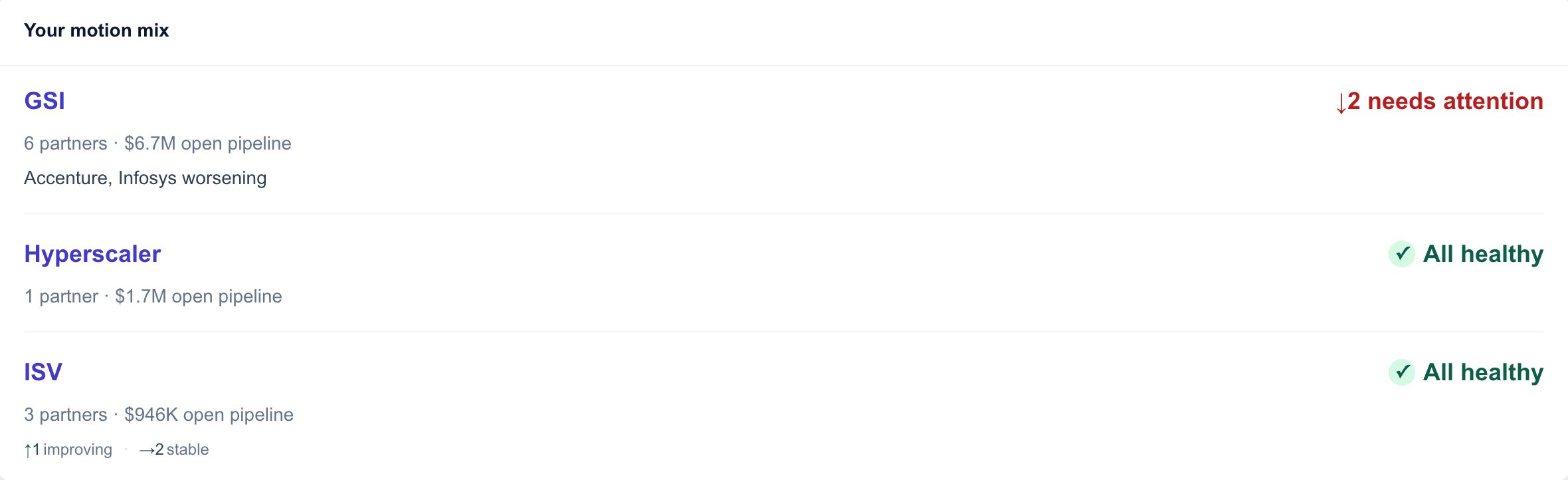
Portfolio rollups by motion, not just by partner
Your motion mix on the dashboard sorts motions by where you need to spend attention — worsening partners first, named inline, with open pipeline at stake so you can prioritize across motions on the axis that matters. Healthy motions stay quiet. The view answers "where do I focus" before you finish your coffee.
Filter every view by motion
Activity feed, partner list, every cross-cutting view — filterable by motion. When you're working your ISV motion this morning, only your ISV-tagged activities surface. Single-motion teams never see the filter. Multi-motion teams couldn't live without it.